
Online Markdown Editor
A full-featured online Markdown editor with syntax highlighting, live preview, and auto-save. Write documents with a clean, dark-themed interface.
About Online Markdown Editor
Type Markdown on the left, watch formatted output appear on the right in real time. This editor pairs a clean dark interface with syntax highlighting, so heading levels, bold text, code blocks, and links are all visually distinct as you write — no squinting at a wall of symbols. Auto-save runs quietly in the background, meaning a closed tab or accidental refresh won't cost you a paragraph.
It suits a wide range of writing tasks: drafting README files, composing structured notes, sketching out documentation, or just keeping a formatted journal without the overhead of a heavier tool. If you spend regular time writing, it fits naturally into your productivity workflow. For something lighter with a single-panel focus, WriteOnly is worth a look too.
No account or installation needed — works entirely in the browser, and the dark theme makes it particularly comfortable for long sessions or low-light environments.
Look inside
How to use
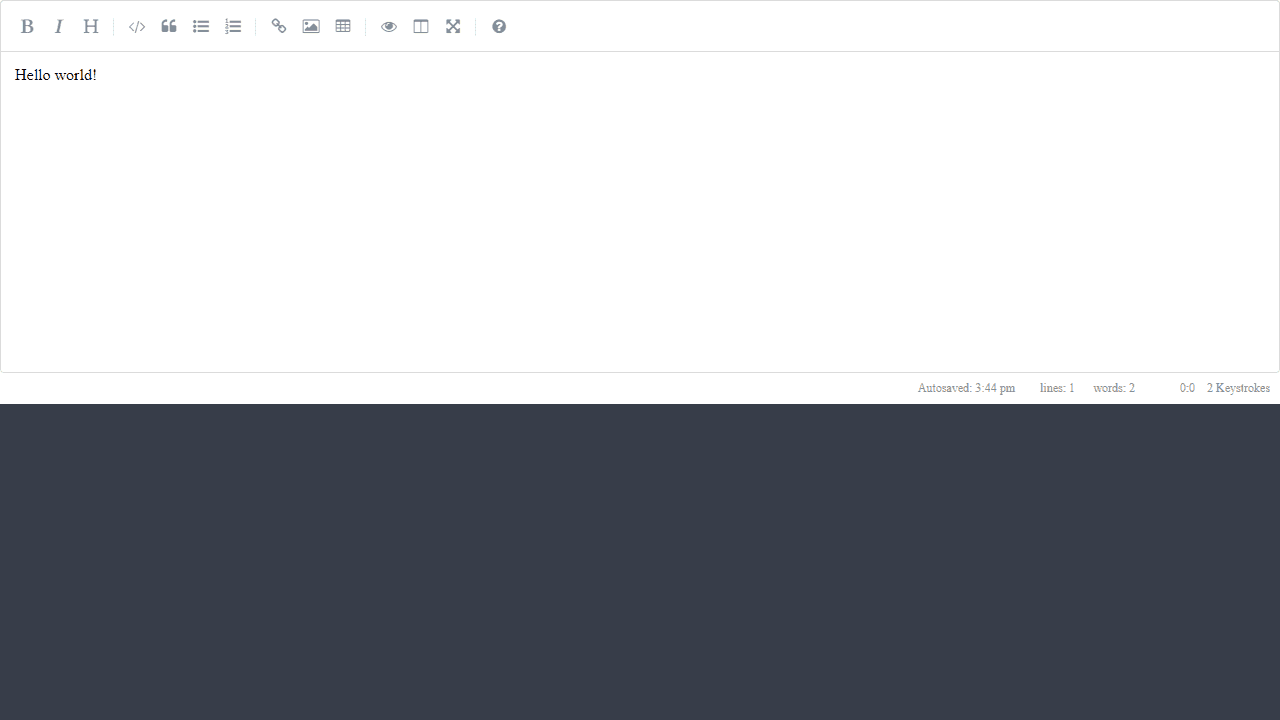
This is a markdown editor that lets you write formatted text using simple syntax while showing a live preview of how it will look. • Type directly in the main text area - your content auto-saves as you work • Use toolbar buttons at the top for common formatting (bold, italic, headers, links, etc.) • Click any toolbar button to insert markdown syntax or format selected text • Write markdown syntax manually: **bold**, *italic*, # Header, [link](url) • Your text appears styled as you type - headings look larger, bold text appears bold • Built-in spell checker underlines misspelled words • Use keyboard shortcuts: Ctrl+B for bold, Ctrl+I for italic, etc. • Status bar at bottom shows word count, line count, and cursor position • Preview pane (if available) shows exactly how your formatted text will appear • Content automatically saves every few seconds - no need to manually save The goal is to make writing in markdown easier by providing visual feedback and familiar toolbar controls while you learn the syntax.
Reviews
No written reviews yet. Be the first!
More from Productivity

A minimal, single-page Markdown editor with instant live preview. Toggle between editor and preview on mobile, or use the side-by-side layout on desktop.


