
HTMLifier
Convert Scratch projects into standalone HTML files. Upload a Scratch project and download a self-contained web page you can share.
About HTMLifier
Drop a Scratch project file — or paste a project ID from the Scratch website — and HTMLifier converts it into a single, self-contained HTML file you can save and share anywhere. No server required, no Scratch account needed on the receiving end. The person you send it to just opens the file in a browser and plays.
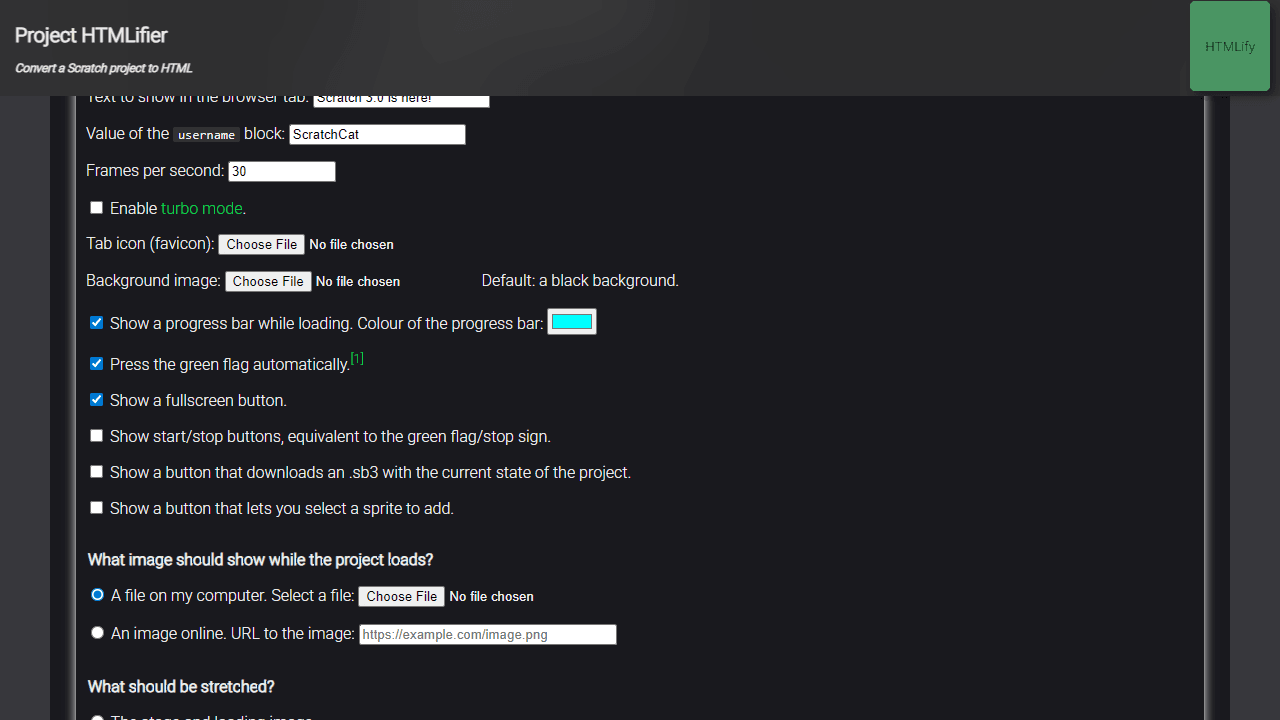
It's built for young creators who want to show off their work outside the Scratch platform, but it's equally handy for teachers packaging student projects for a school event or portfolio. You get options to control the display size, turbo mode, and whether the username prompt appears — small knobs that make the exported page feel intentional rather than thrown together. It sits comfortably alongside other tools in the developer tools category.
The whole process takes under a minute, and the output is a single file you can attach to an email — no zip, no folder, just one HTML document that runs itself.
Look inside
How to use
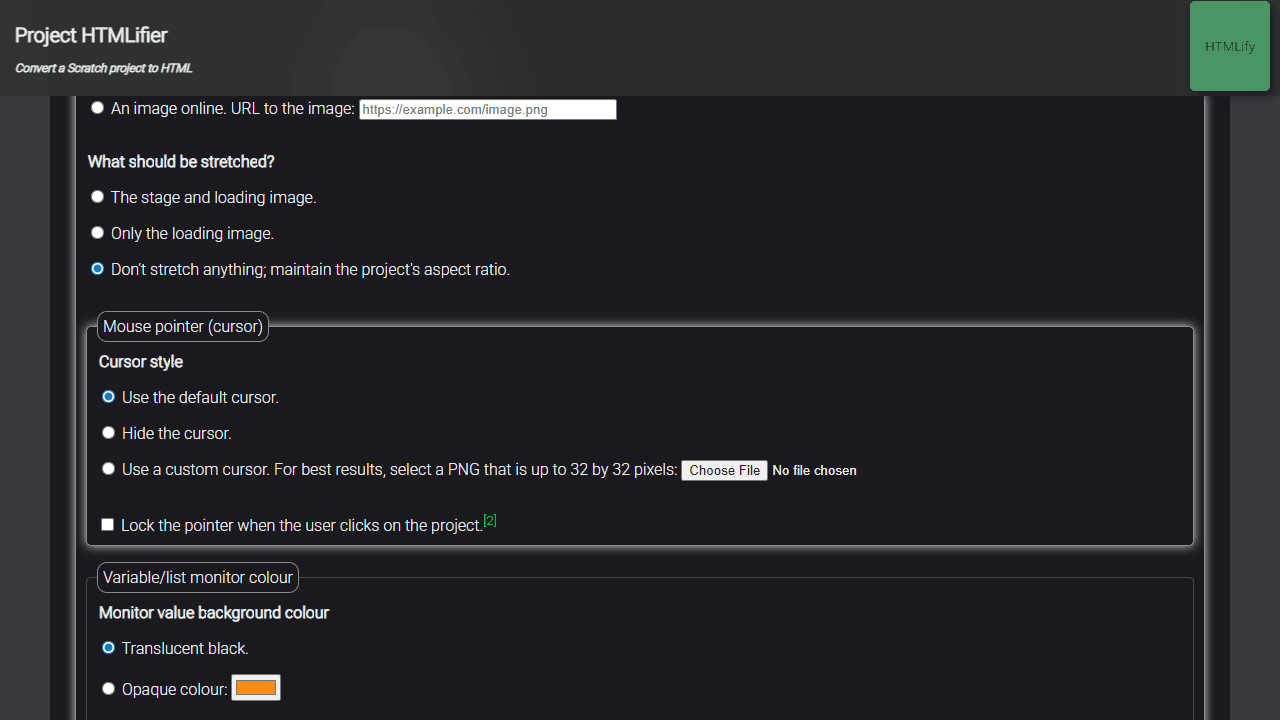
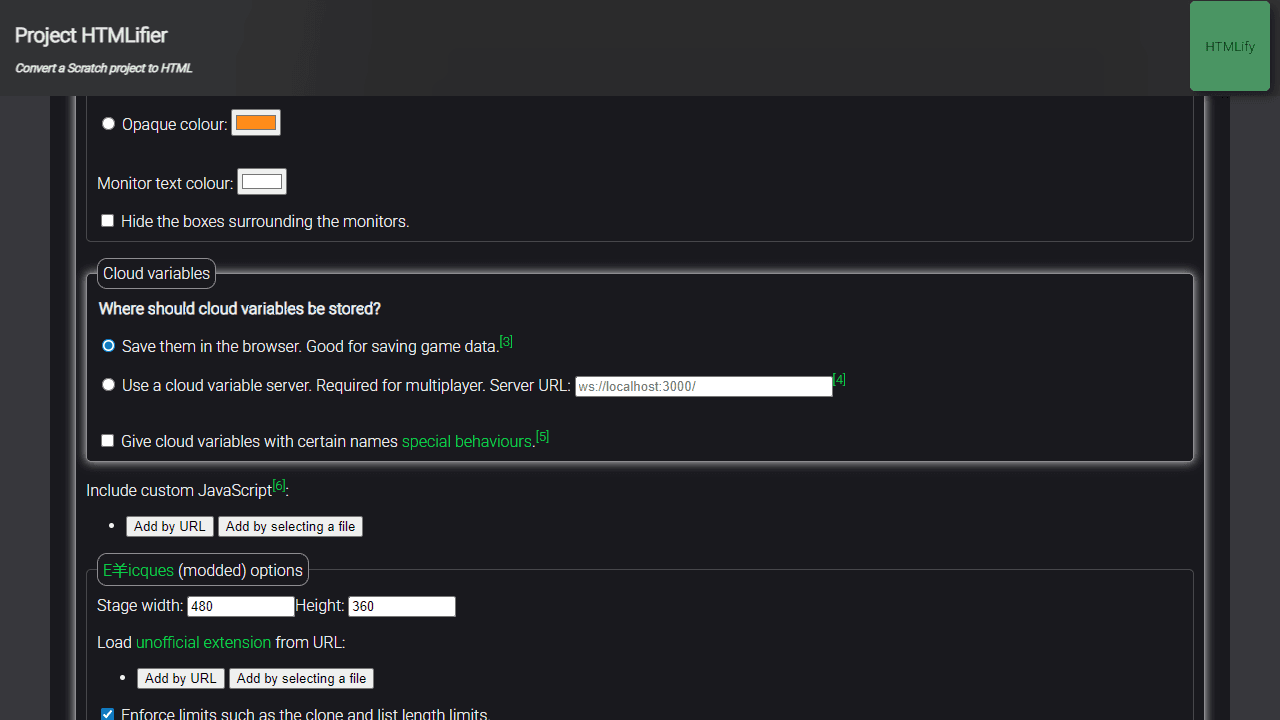
This tool converts Scratch 3.0 projects into standalone HTML files that can run in any web browser. 1. Enter a Scratch project URL or ID in the input field, or upload a .sb3/.sb2 file 2. Click the "HTMLify" button to start conversion 3. Wait for the tool to process your project - it will download all assets and bundle them with the Scratch engine 4. Download the generated HTML file when complete The output HTML file contains: - Your entire project - All costumes and sounds - The complete Scratch engine (making files quite large, around 2.6+ MB) Optional settings you can adjust: - Custom loading screens and background images - Enable/disable fullscreen mode - Add unofficial extensions via URLs - Include custom JavaScript code - Show additional control buttons - Modify cloud variable behaviors Controls in the final HTML: - Click green flag or use Ctrl/Cmd+F for fullscreen - Standard Scratch project controls work normally The generated HTML file runs independently without needing internet connection once created. Best for sharing projects that need to work offline or be embedded elsewhere.
Reviews
No written reviews yet. Be the first!


