You found something you love — maybe it was Flappy Bird at 11pm when you couldn't sleep, or Daily Briefing during your morning coffee. Now you want to come back to it tomorrow. That's exactly what the unlock system is for.
What slots actually are
Every Launch Arcade subscription comes with a set number of unlock slots. Think of them like saved seats. You browse the catalog — 500+ apps, games, tools, creative stuff — and when something clicks, you unlock it. That app then lives in your My Arcade shelf, ready whenever you are.
You don't have to unlock everything. That's kind of the point. The constraint nudges you toward committing to things you actually like, rather than hoarding tabs you'll never open.
How to unlock an app
- Open any app from the catalog.
- Hit the Unlock button on its page.
- It drops straight into your My Arcade shelf.
That's it. No forms, no extra steps. If you've used all your slots and find something new you want, just swap — remove an app you've moved on from and unlock the new one. Your old progress and preferences aren't wiped; you're just freeing up the slot.
What My Arcade actually does for you
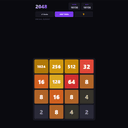
My Arcade is your personal shortlist. It sits at the top of your experience when you log in, so you're not hunting through the catalog every time. If you're the kind of person who likes a quick puzzle with breakfast, having 2048 one tap away is genuinely useful.
It also helps you build a bit of a routine. A game you're trying to beat. A tool you check daily. A creative app you're slowly figuring out. My Arcade holds that context so you don't lose your place.
Tips for getting the most from your slots
- Don't rush to fill all your slots at once. Spend a week browsing. Unlock things as you genuinely want to return to them, not just because they look interesting in the moment.
- Mix categories intentionally. A game, a tool, something creative — that variety tends to keep the shelf feeling fresh rather than all-the-same.
- Rotate when you're done. Finished a game? Swap it out. Your shelf should reflect where you are now, not what you liked three months ago.
- Use the catalog to browse, My Arcade to return. The catalog is for discovery. My Arcade is for the things that stuck. Keep that mental separation and both feel more useful.
A note on trying things before you commit
Most apps on Launch Arcade let you play or use them before you decide to burn a slot on them. Take advantage of that. Try Doodleround for a round or two before you decide it deserves a permanent spot. If it earns it, unlock it. If not, move on — no guilt, no wasted slot.
The unlock system isn't a gotcha. It's just a way to make a big catalog feel manageable. Five hundred apps is a lot. A shelf of four or five things you actually care about? That's usable.
Where to go from here
If you're still getting your bearings, the best move is to browse the full catalog without any agenda. See what pulls you in. Then unlock with intention. Your shelf will get better the more honest you are about what you actually come back to.