
Ray Tracer
CPU ray tracer rendering 3D scenes with reflections, shadows, and materials in pure JavaScript.
About Ray Tracer
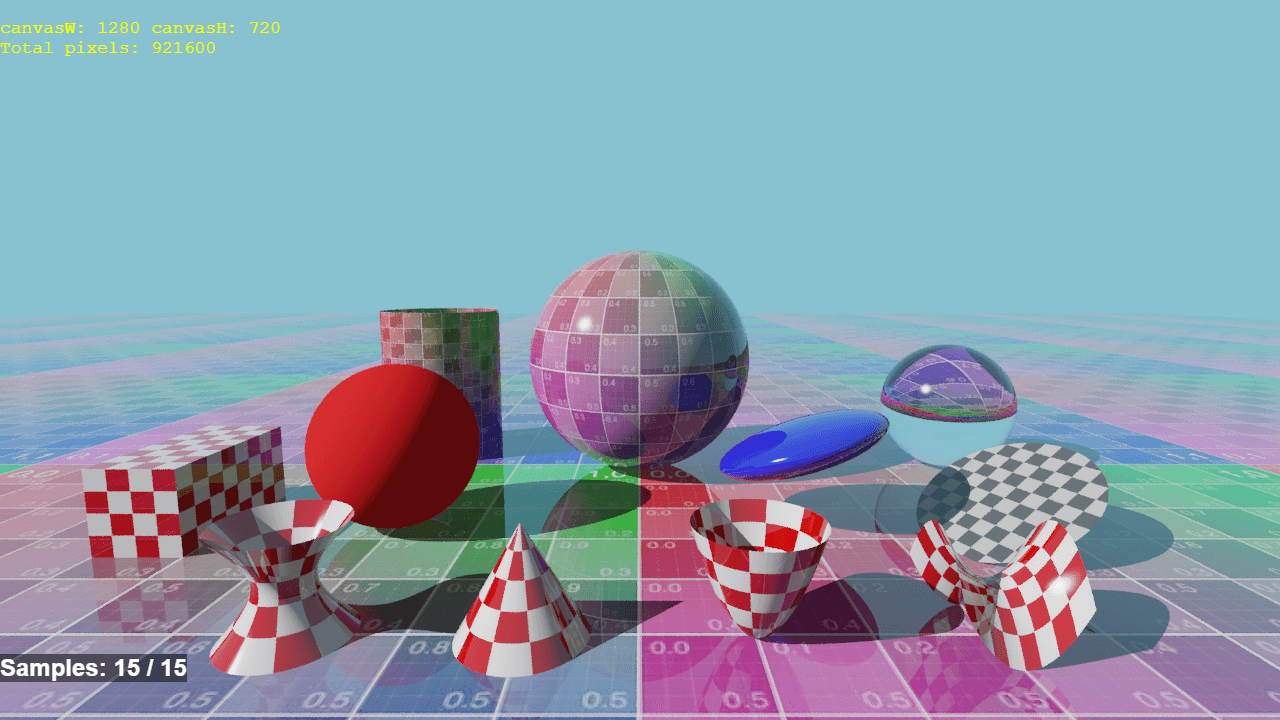
Point the tracer at a scene and watch it calculate light ray by ray — reflections bending across spheres, soft shadows pooling beneath objects, materials shifting from matte to mirror-like depending on how you configure them. Ray Tracer runs entirely in your browser using pure JavaScript, no GPU required, turning your CPU into a miniature rendering engine.
It's a genuine look at how 3D renderers work under the hood. Tweak a material's reflectivity, move a light source, or add geometry and then re-render to see exactly what changed and why. If you enjoy tinkering with how visuals are constructed from math, this sits comfortably alongside other creative tools that reward curiosity over polish.
Best experienced on a desktop or laptop — rendering complex scenes takes real CPU cycles, and watching the image resolve line by line is part of the appeal. No touch controls needed; mouse and keyboard handle everything.
Look inside
How to use
This is a ray tracing renderer that creates realistic 3D images using advanced lighting calculations. It renders photorealistic scenes with reflections, shadows, and realistic materials. • The app automatically starts rendering when loaded - wait a few seconds for the image to appear • Watch as the image gradually builds up pixel by pixel from top to bottom • The rendering happens entirely in your browser using your device's CPU • A debug info display shows rendering progress and performance statistics • No user controls are needed - this is a demonstration of ray tracing technology • The final result shows realistic lighting effects including reflections, refractions, and shadows • Different scenes may be pre-loaded showing various 3D objects like spheres, planes, and complex materials • Rendering time varies based on scene complexity and your device's processing power • This is primarily an educational tool to demonstrate how ray tracing algorithms work • The app showcases traditional CPU-based ray tracing techniques without requiring special graphics hardware
Reviews
No written reviews yet. Be the first!
More from Creative

A casual chiptune loop maker. Tap cells, pick a vibe, share remixable 16-step loops in under a minute.
by Launch Arcade


