
Motionity
A full-featured motion graphics editor in the browser. Keyframing, masking, filters, text animations, chroma key, and video export — no plugins needed.
About Motionity
Motionity puts a full motion graphics timeline in your browser tab — drag in footage or images, set keyframes, layer masks, apply filters, and watch your composition come together without installing a single plugin. It handles chroma key for green-screen work, supports text animations with fine-grained easing controls, and exports video when you're done. The whole thing runs client-side, so your files stay on your machine.
It fits naturally alongside other tools in the creative category, but its real strength is scope: this is closer to a lightweight After Effects substitute than a simple GIF maker. If you just need to knock out a quick intro animation or a social clip with animated text, you can do that in minutes. If you want to dig into nested keyframes and blending modes, that's there too.
Works best on a desktop browser with a decent screen — the timeline panel needs the horizontal real estate, and a mouse makes scrubbing keyframes far less frustrating than a trackpad.
Look inside
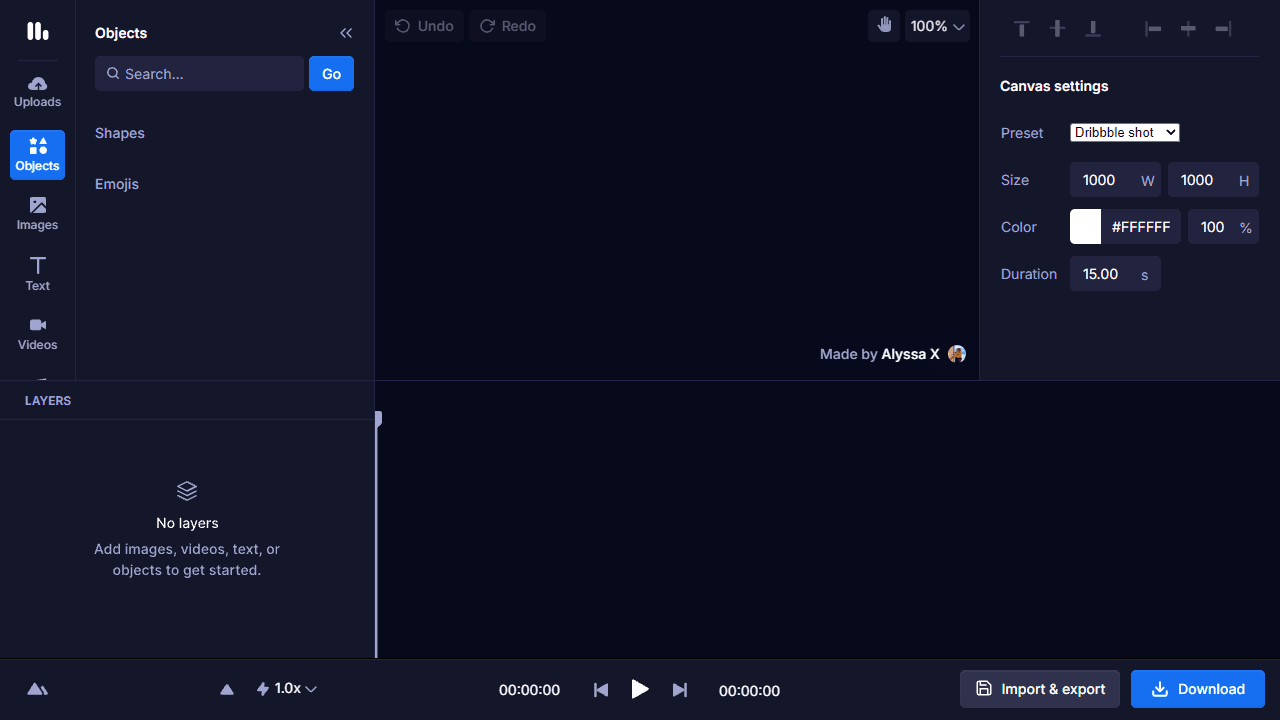
How to use
Create animated videos and motion graphics by adding elements and animating them over time. BASIC CONTROLS: • Click tools in the left toolbar to add content: Objects (shapes/emojis), Images, Text, Videos, Audio • Drag elements from the browser panel onto the canvas • Select elements by clicking them on canvas or in the timeline • Use properties panel (right side) to adjust selected elements ANIMATION & KEYFRAMES: • Use the timeline at bottom to scrub through your video • Click the diamond icon next to properties to set keyframes • Move the timeline cursor and change property values to create animations • Drag keyframes in timeline to adjust timing ESSENTIAL FEATURES: • Right-click elements for options like filters, masking, and effects • Adjust canvas size, background color, and duration in properties panel • Use alignment tools to position elements precisely • Search for free images/videos using the search bar in browser panels EXPORT: • Click download button to export as MP4, WEBM, GIF, or image • Save/load projects using the import/export options The timeline shows all layers - drag to reorder, click eyes to hide layers.
Reviews
More from Creative

A casual chiptune loop maker. Tap cells, pick a vibe, share remixable 16-step loops in under a minute.
by Launch Arcade


