
ASCII Art Paint
Full-featured ASCII art editor with drawing tools, text mode, dark and light themes, and keyboard shortcuts.
About ASCII Art Paint
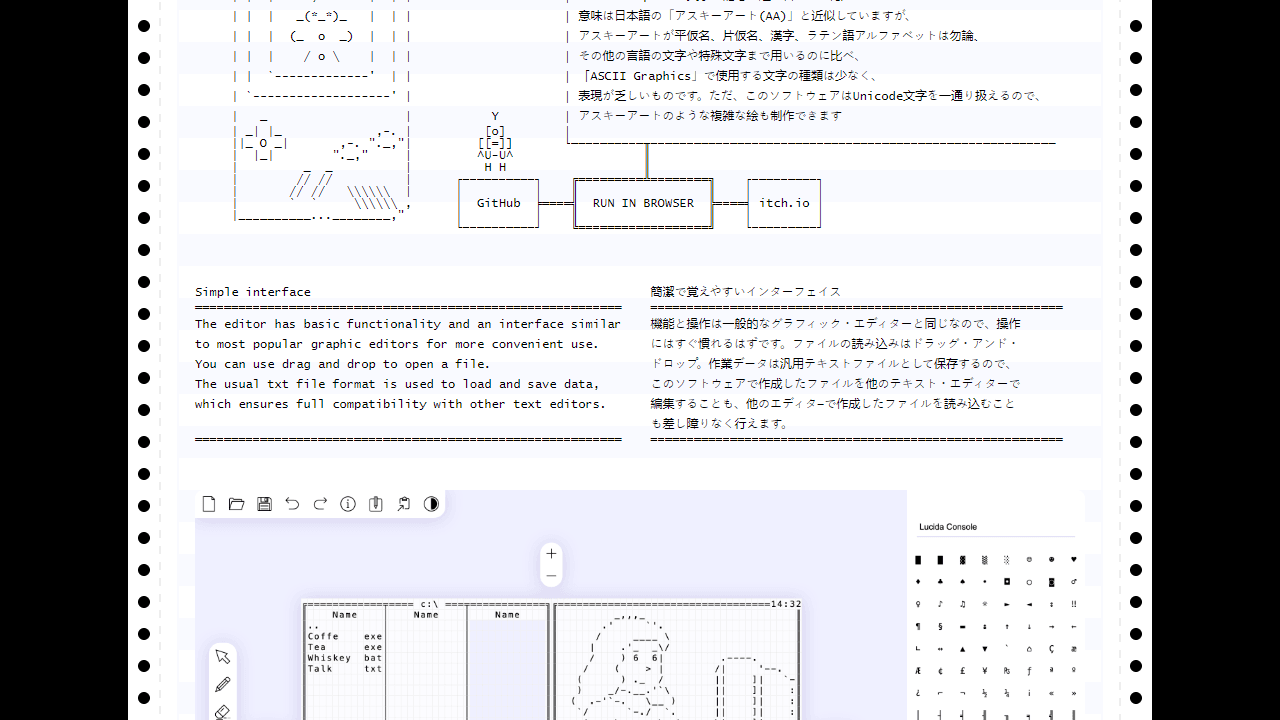
Pick up a brush made entirely of characters: ASCII Art Paint lets you draw, paint, and compose text-based artwork using a full grid canvas populated by keyboard symbols. You choose your character set, switch between drawing tools, flood-fill regions, and nudge elements around with keyboard shortcuts — all without touching a mouse if you prefer. Dark and light themes mean you can work comfortably regardless of your setup.
It's more niche than a general bitmap editor, but that constraint is the point. The deliberate lo-fi aesthetic pushes you toward creativity within tight limits, and the results — portraits, maps, diagrams, jokes — have a retro character that pixel art rarely matches. If you enjoy making things look handcrafted and slightly weird, this is worth your time. For broader creative tools, the catalog has plenty of company. JS Paint goes in a different direction — familiar bitmap tools instead of character grids — if you'd rather work with pixels than punctuation.
Keyboard shortcuts are the fastest way in: arrow keys nudge the cursor, single characters stamp directly onto the canvas, and Ctrl+Z undoes mistakes reliably. Works best on desktop where the full character grid has room to display without zooming.
Look inside
How to use
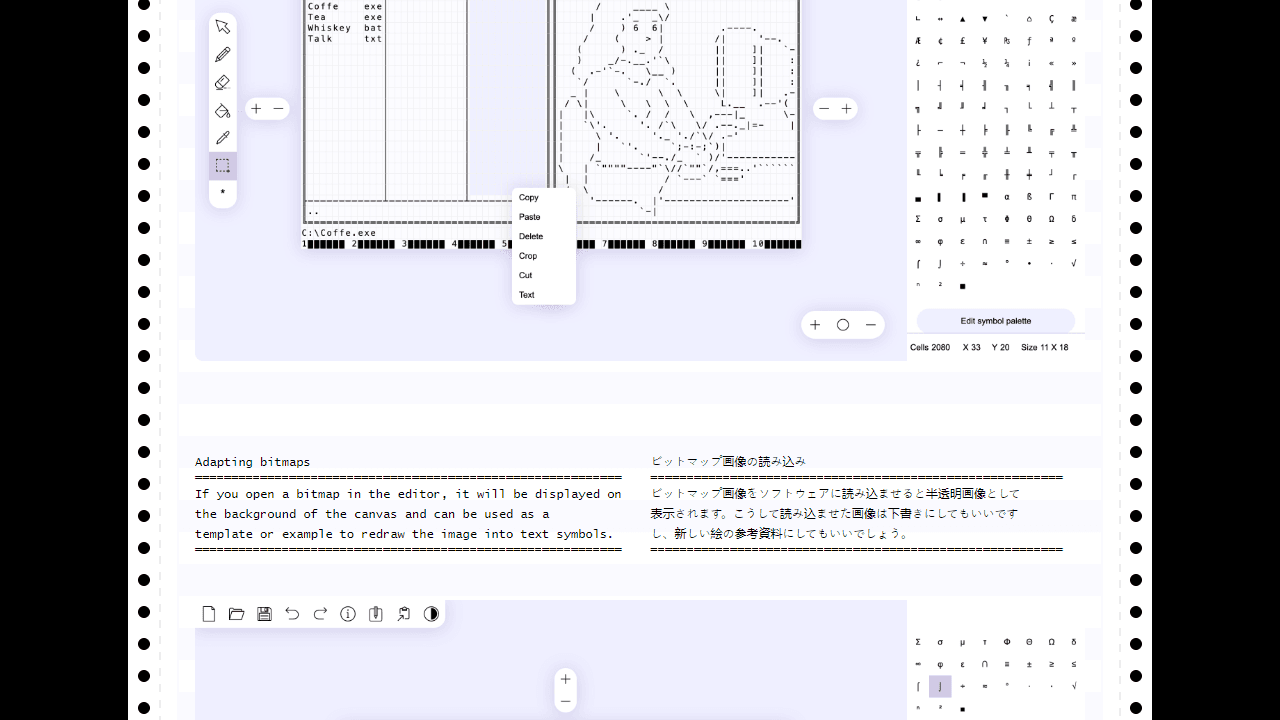
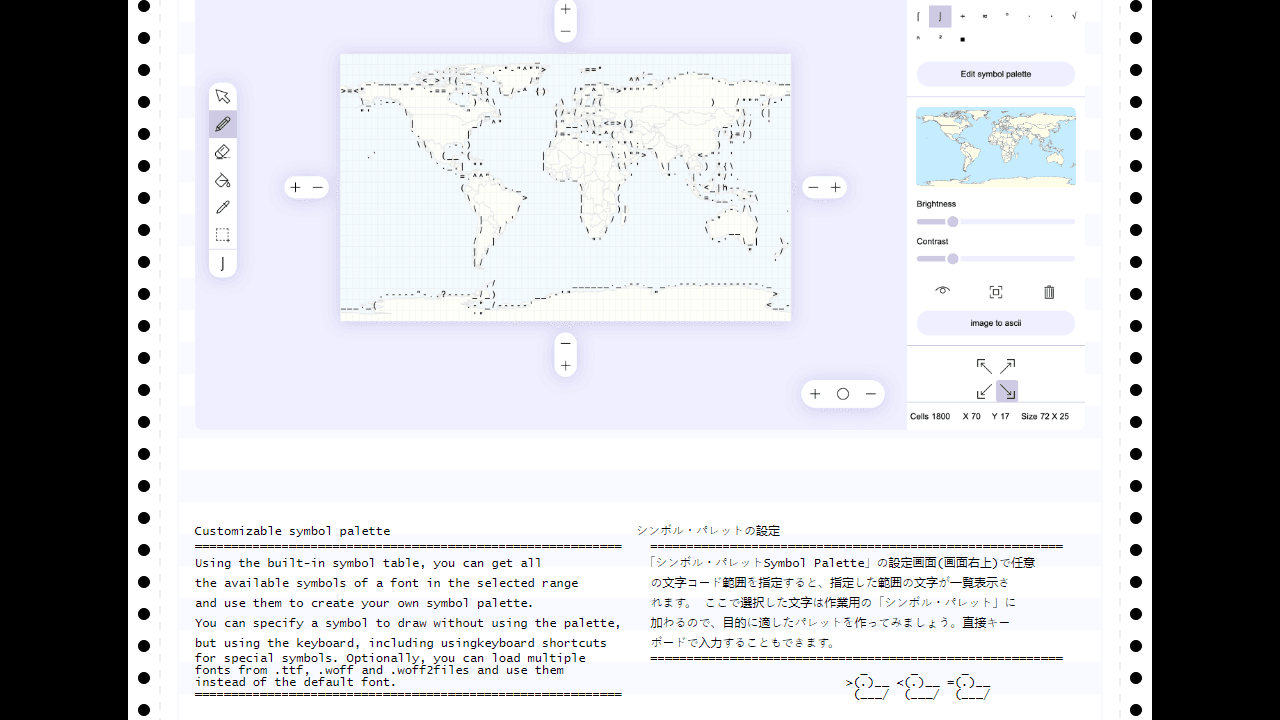
This is a web-based tool for creating ASCII art using text characters and symbols. • Click tools in the toolbar: Hand (scroll), Brush (draw), Eraser, Fill, Pipette (pick character), Selection • Use keyboard shortcuts: Alt+1-6 for tools, or Alt+H (hand), Alt+B (brush), Ctrl+Alt+E (eraser), etc. • Click symbol palette on right to choose characters for drawing, or type directly with keyboard • Drag and drop image files to use as background templates for tracing • Drag and drop text files to open existing ASCII art Key features: • Auto-convert bitmap images to text by setting size and character palette (dark to light symbols) • Customize symbol palette by selecting character code ranges • Built-in text editor for direct typing and clipboard operations • Switch between dark/light themes to preview on different backgrounds • Save as standard .txt files compatible with any text editor • Works offline in your browser Goal: Create text-based artwork using characters and symbols for social media posts, blogs, or decoration.
Reviews
No written reviews yet. Be the first!
More from Creative

A casual chiptune loop maker. Tap cells, pick a vibe, share remixable 16-step loops in under a minute.
by Launch Arcade


